How to Route Network Traffic with a Linux Network Virtual Appliance on Azure
Enable the IP Forwarding on the Network Interface of the VM in Azure

Enable the IP Forwarding in the VM
sudo sed -i 's/#net.ipv4.ip_forward=/net.ipv4.ip_forward=/' /etc/sysctl.conf
sudo sed -i 's/net.ipv4.ip_forward=0/net.ipv4.ip_forward=1/' /etc/sysctl.conf
sudo sed -i 's/#net.ipv6.conf.all.forwarding=/net.ipv6.conf.all.forwarding=/' /etc/sysctl.conf
sudo sed -i 's/net.ipv6.conf.all.forwarding=0/net.ipv6.conf.all.forwarding=1/' /etc/sysctl.conf
sudo sysctl -p

Add route on Route Table for outbound traffic via NVA on Azure


Associate Subnet to Route Table

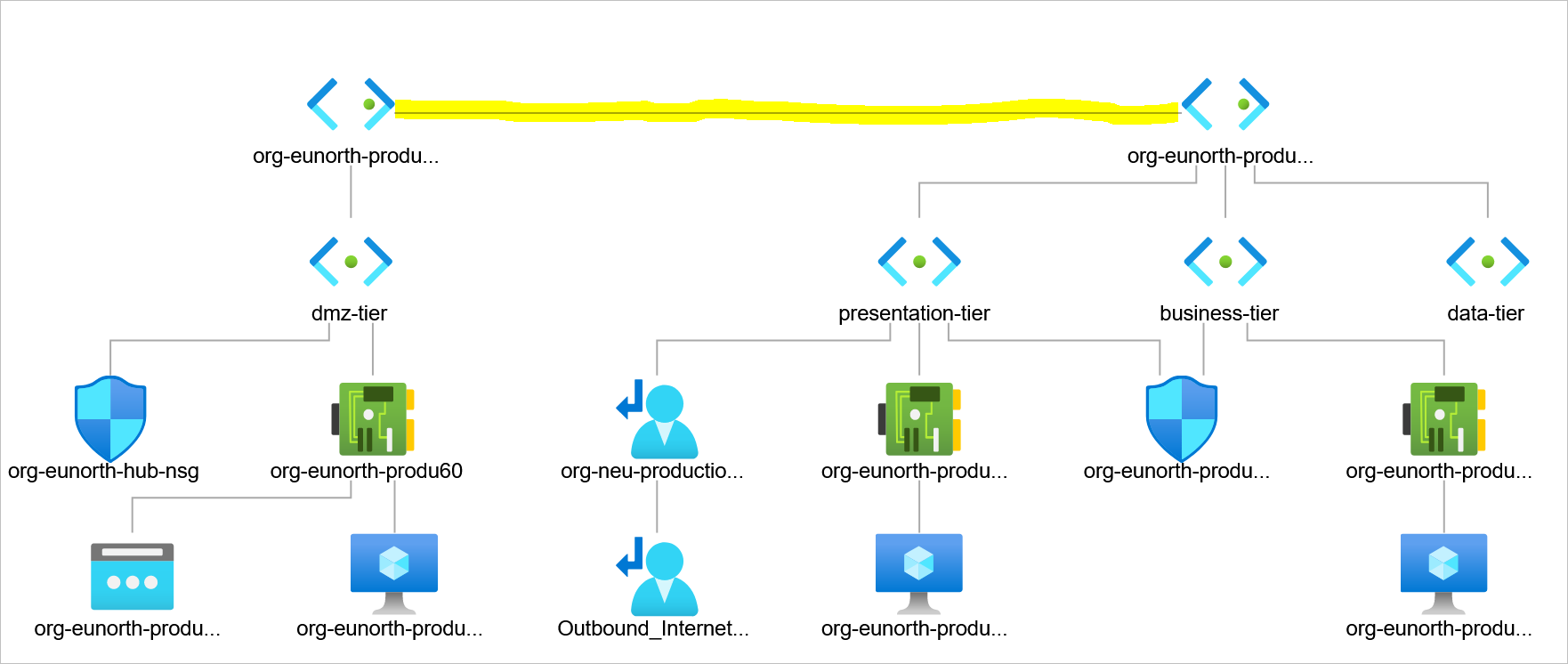
Assess Network Topology to understand how traffic flow works

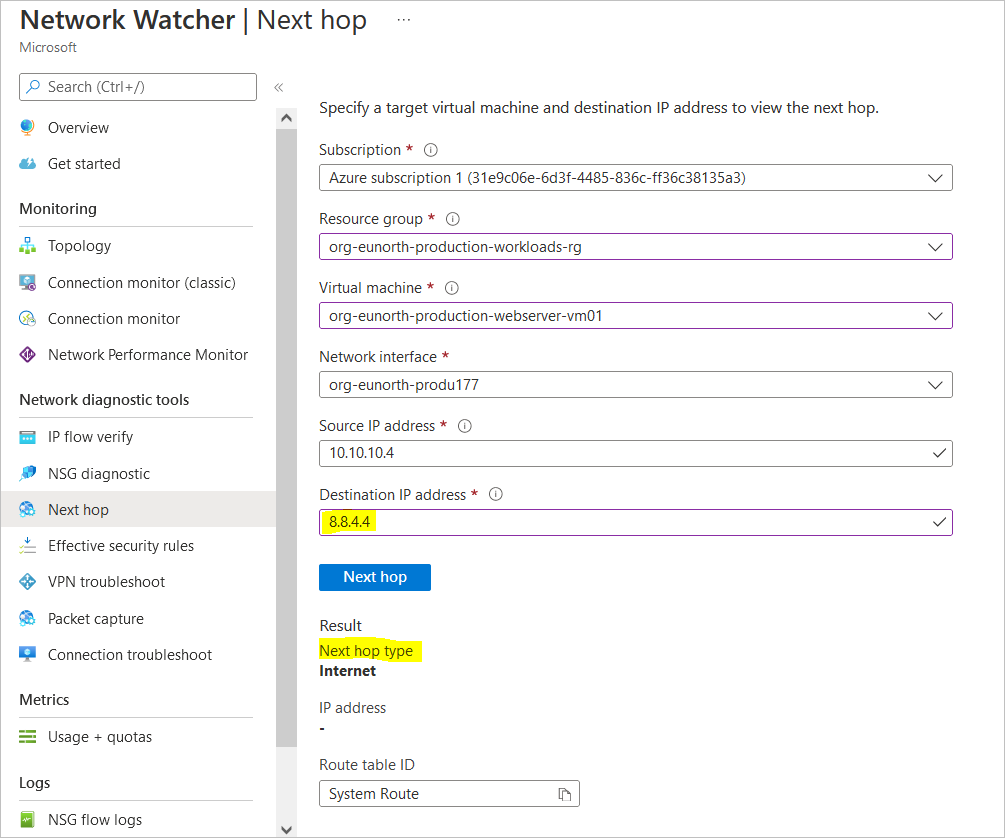
Check effective routes from the associate subnet network interfaces – in this guide, the presentation-tier vm

It appears that a route has been injected into our effective routes. But from the topology diagram above, there isn’t a known connection between the hub virtual network and the production virtual network.
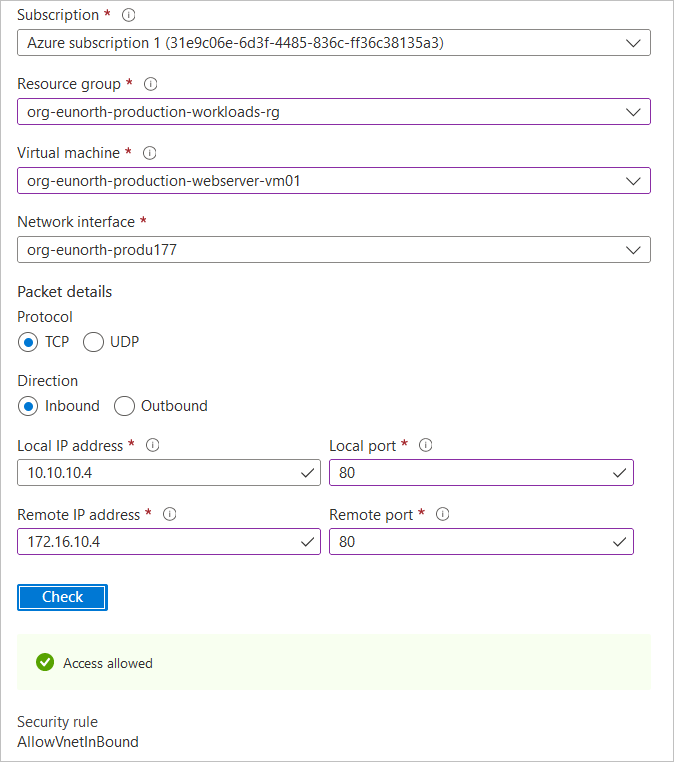
Verify IP Flow with Azure Network Watcher
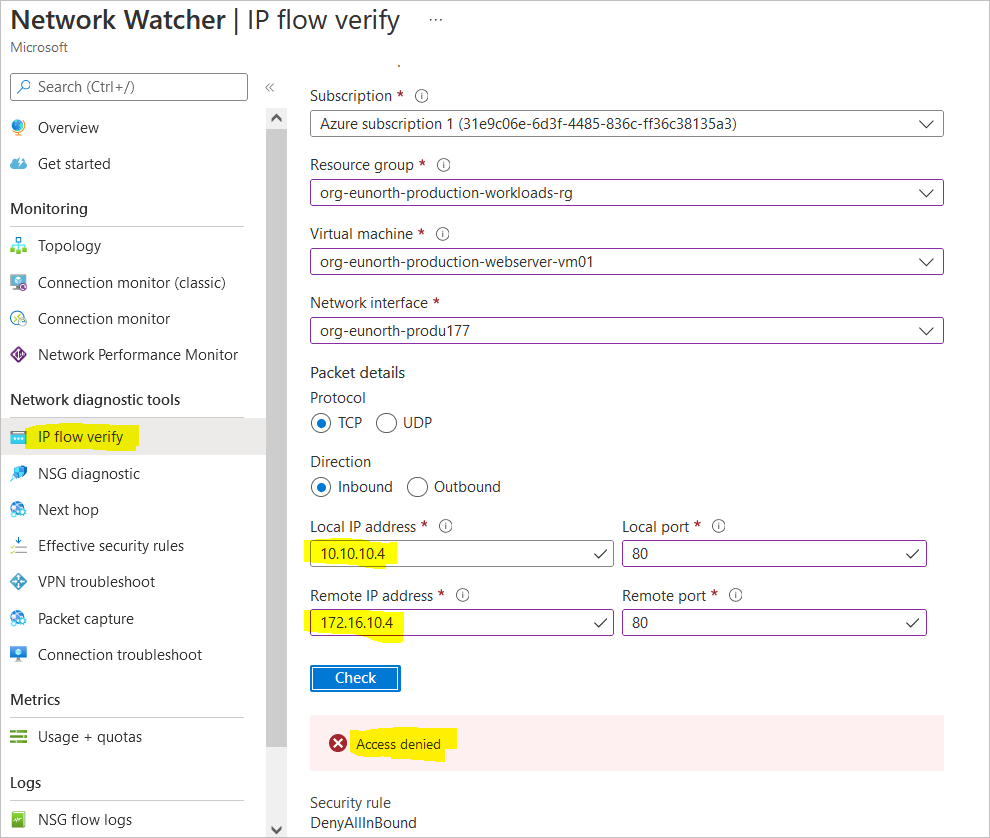
Access is found to be denied because there is no physical connection between the VNets. I will now go ahead to create a VNet to VNet Peering so the two networks can begin communicating.
create a virtual network peer from the hub to the spoke networks
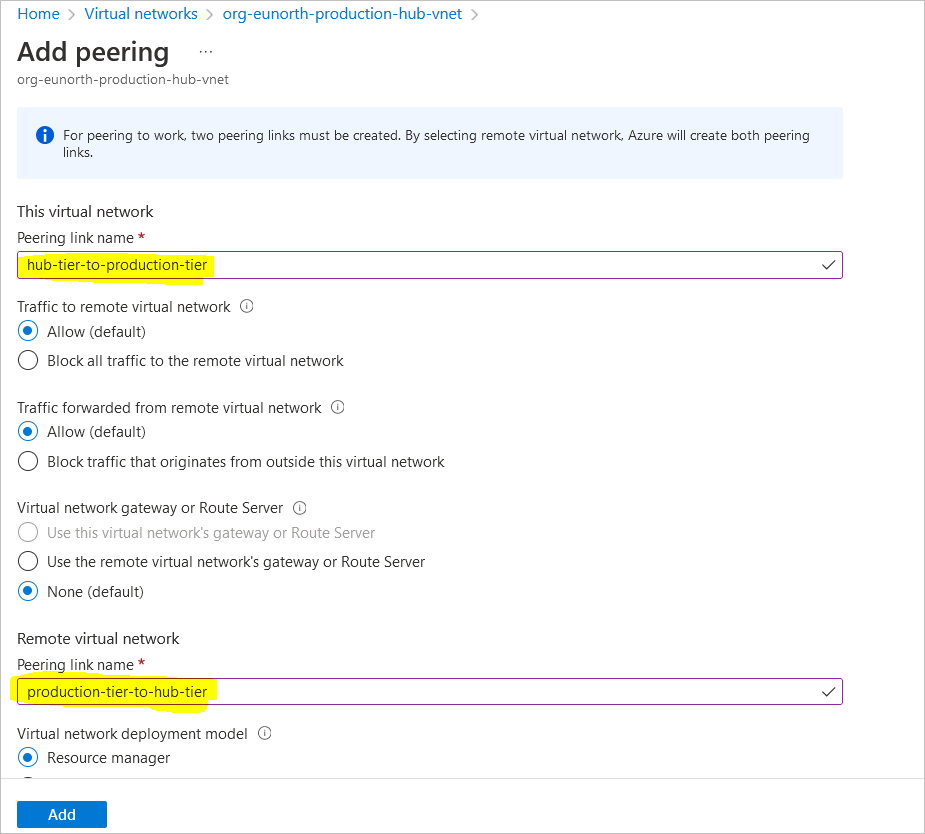
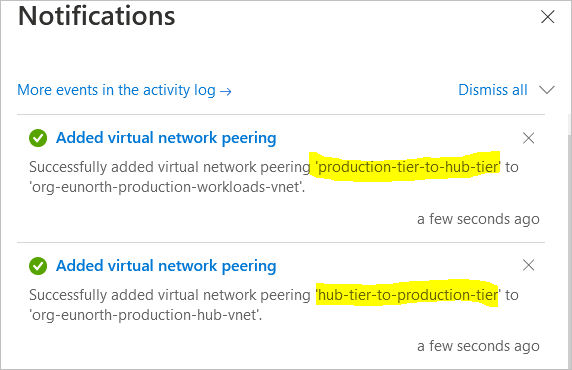
Review the topology
Verify IP Flow to the NVA with Azure Network Watcher
Route Network Traffic with a Route Table and Network Virtual Appliance
In Windows
PS C:\> Set-ItemProperty -Path HKLM:\SYSTEM\CurrentControlSet\Services\Tcpip\Parameters -Name IpEnableRouter -Value 1
PS C:\> New-NetFirewallRule -DisplayName "Allow ICMPv4-In" -Protocol ICMPv4
Name                  : {c66932ef-d397-4efc-83cd-75155dad403e}
DisplayName           : Allow ICMPv4-In
Description           :
DisplayGroup          :
Group                 :
Enabled               : True
Profile               : Any
Platform              : {}
Direction             : Inbound
Action                : Allow
EdgeTraversalPolicy   : Block
LooseSourceMapping    : False
LocalOnlyMapping      : False
Owner                 :
PrimaryStatus         : OK
Status                : The rule was parsed successfully from the store. (65536)
EnforcementStatus     : NotApplicable
PolicyStoreSource     : PersistentStore
PolicyStoreSourceType : Local


PS C:\>